Link Attributes
Modified on Thu, 28 Jul 2022
Why should I Link Attributes?
To retrieve data from other BOs, you can link attributes from one BO to another and thereby define the relationships between the BOs.
How to Link Attributes?
- Define the Datatype of the Attribute as Link.
- Select from the existing BO or create a new one. For example, in an Account creation HyperApp, the Primary Owner, Secondary Owner and Trusted Contact attributes are related to an attribute in another BO where people's names are defined.
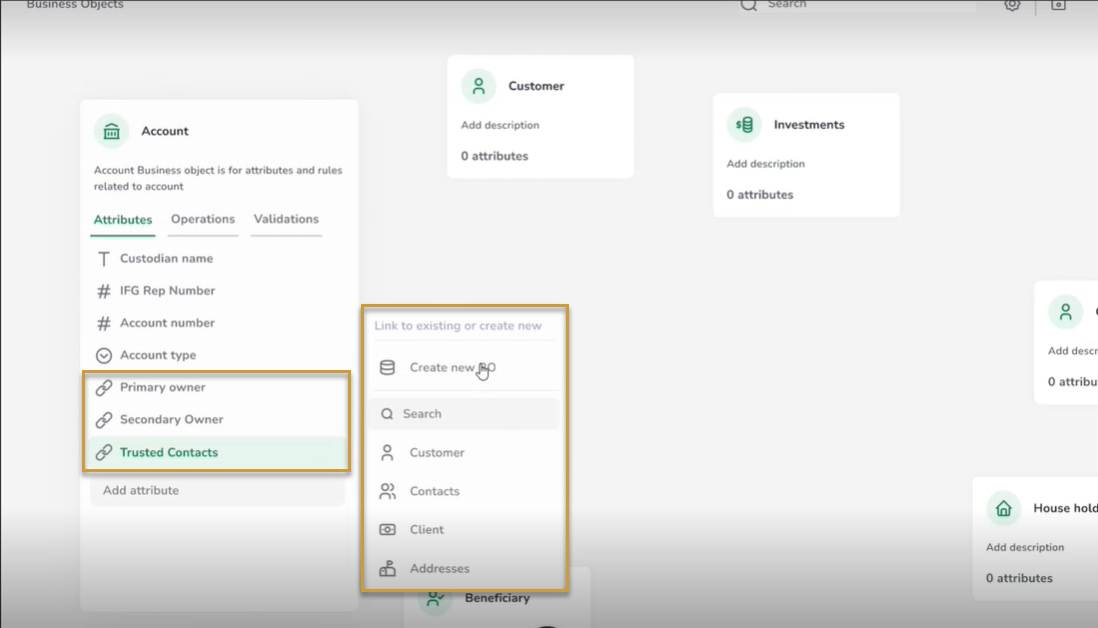
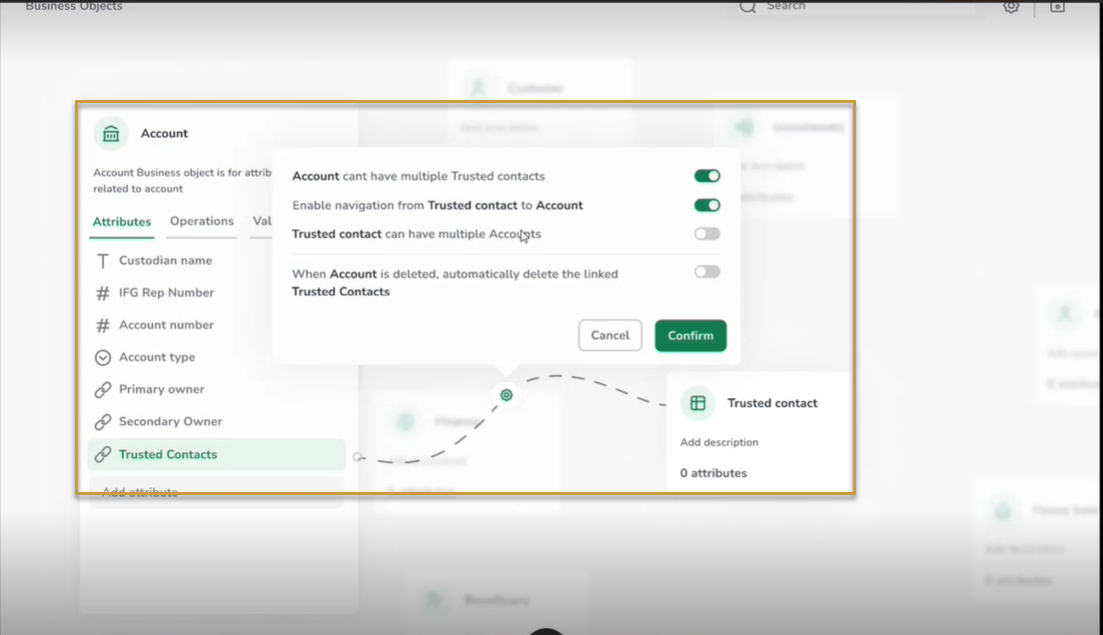
- Define the relationship between created Link and the BO, that is, you can enable or disable the Properties of the link.
- You can TOGGLE ON the option to enable 1:M relationship with BO and Linked attributes.
- You can enable navigation from Linked attribute to the BO.
- You can TOGGLE ON the option to enable M:1 relationship with BO and Linked attributes.
- You can specify the deletion properties of the Linked attributes when the BO is deleted.
Was this article helpful?
That’s Great!
Thank you for your feedback
Sorry! We couldn't be helpful
Thank you for your feedback
Feedback sent
We appreciate your effort and will try to fix the article